GPT Images 2.5: What's New, What It Can Do and How to Prompt It
 by Aristotto11 min
ChatGPT Images 2.5 is OpenAI's newest image generation and editing system. The update focuses less on adding flashy new image styles and more on making generation easier to control: faster results, better preservation of reference subjects and more reliable edits across multiple revisions.
It also adds new ways to work visually inside ChatGPT, including Sketch, Templates and comments directly on images.
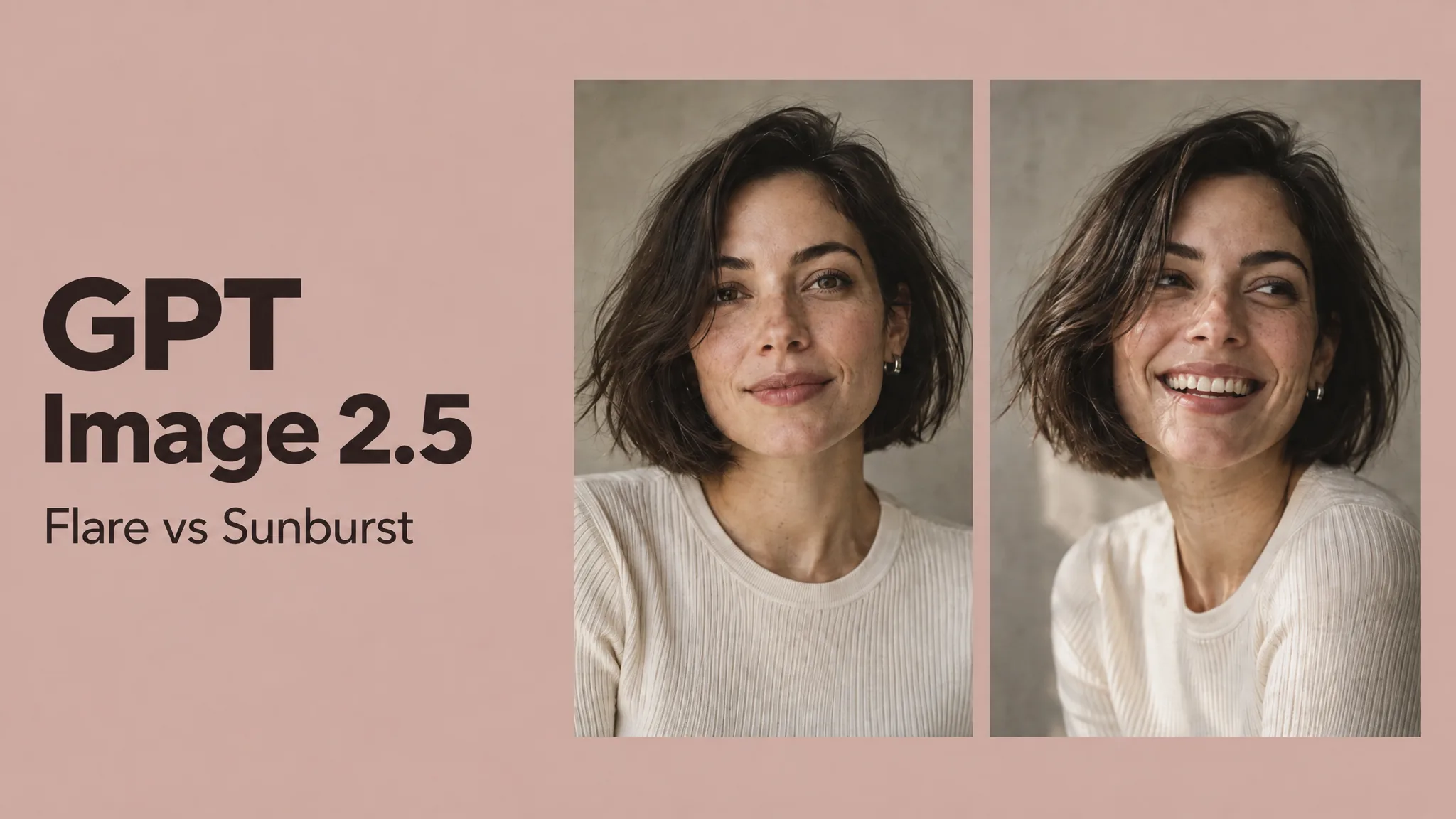
For developers, the GPT Image 2.5 family includes Flare for faster everyday generation and Sunburst for tasks where tighter editing precision matters more.
What is ChatGPT Images 2.5?
ChatGPT Images 2.5 is the image generation system used to create and edit images through ChatGPT. You can start from a text prompt, upload an image and modify it, use references to guide a new result or continue refining the same image through several conversational edits.
That last part is particularly important.
AI image models have been able to create impressive first images for some time. The harder problem is what happens after the first generation. You may like the product but want a different background. Then you change the background and the packaging changes too. You fix the packaging and the lighting shifts. After several edits, the image barely resembles the original.
Images 2.5 is designed to make that process more stable.
What's actually new in ChatGPT Images 2.5?
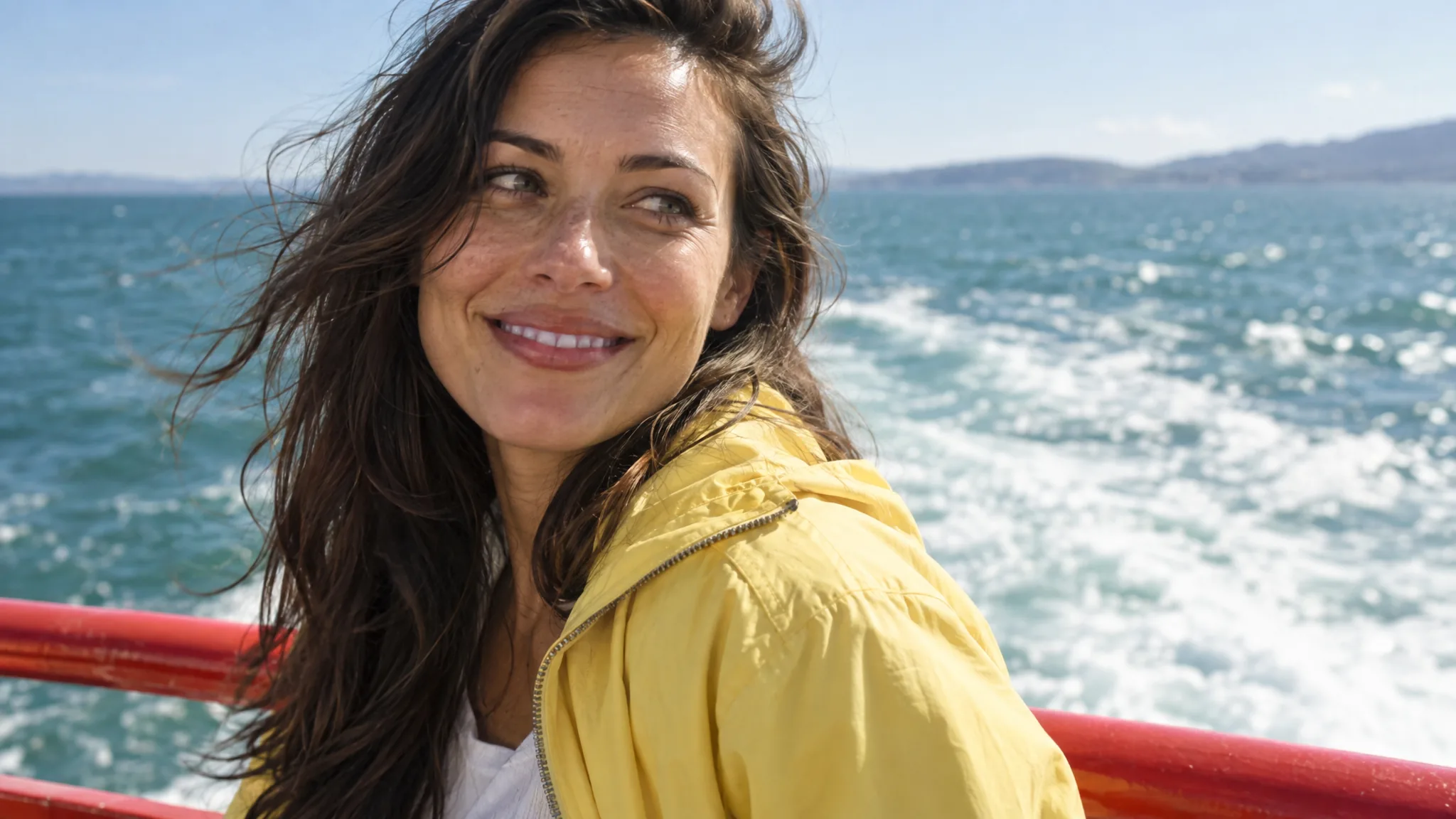
The most useful improvement is better preservation of the subject you already have.
If you upload a product, portrait or character and ask for a change, the model is better at keeping important details intact while modifying the requested part of the image. That makes it more useful for real creative work where consistency matters, rather than just generating unrelated variations until one happens to work.
Editing has improved for the same reason. A request such as changing an outfit, replacing a background or modifying one product detail is less likely to require recreating the entire image from scratch.
Images 2.5 also improves consistency across multiple edits. This is useful when a campaign asset needs several rounds of revision, or when you want to generate several related visuals without losing the original subject.
The model also produces more natural lighting and richer textures, which matters in areas such as product photography, fashion, interiors, food and photorealistic advertising.
Generation is faster too. OpenAI says latency can be up to 50% lower than with Images 2.0, which becomes noticeable when you are producing several variations rather than a single image.
Is ChatGPT Images 2.5 better for image editing?
Editing is one of the clearest reasons to use Images 2.5.
The best way to prompt an edit is not to rewrite the full description of the image. Tell the model exactly what should change, then tell it what must remain untouched.
For example:
Change only the bottle cap from black to brushed silver. Keep the bottle shape, logo, label text, proportions, camera angle, background, lighting and shadows unchanged. Do not modify any other part of the image.
This works better than simply saying "make the cap silver" because the model also knows which parts of the existing image matter.
The same approach works for portraits:
Change the black leather jacket to an oversized cream wool coat. Keep the same person, face, hairstyle, expression, pose, camera angle, crop, background and lighting. Make the new coat look physically realistic and do not change anything else.
For complicated edits, it is often better to make several controlled changes than to ask for a completely different environment, outfit, pose and lighting setup in one request.
What are Sketch, Templates and image comments?
Images 2.5 also changes how you can communicate an idea before writing the final prompt.
Sketch is useful when composition is easier to draw than describe. You can roughly indicate where a product, person or headline should appear and then ask ChatGPT to turn that sketch into a finished image. The drawing does not need to be polished. It is simply another way to communicate placement and structure.
Templates provide starting points for common creative formats. Instead of building every prompt from zero, you can begin with a format such as a poster or product image and customize the content, visual direction and message.
Image comments make editing more specific. Rather than writing a long explanation such as "change the small object near the left side of the table," you can point directly to the relevant area and describe the edit.
Together, these features make image generation feel less dependent on writing the perfect text prompt in one attempt.
GPT Image 2.5 Flare vs Sunburst
For API users, GPT Image 2.5 is available in two versions.
Flare is the general-purpose option. It is designed for fast, high-quality generation and should make sense for most everyday work, including social content, product concepts, ads, visual experiments and high-volume creative production.
Sunburst is aimed at work where precision matters more. It is better suited to detailed editing, campaign assets and creative tasks where preserving specific details through revisions is especially important.
The simple choice is to start with Flare for normal generation and move to Sunburst when the additional control is worth the extra generation time.
How should you prompt ChatGPT Images 2.5?
The best prompts do not need to be unusually long. They need to remove the important ambiguity.
Start by describing what you are making and what the main subject should be. Then define the composition, visual treatment and any details that matter. If the image contains text, provide the exact words. If certain elements must not change, say that explicitly.
A useful product prompt might look like this:
Create a premium ecommerce photograph of a vitamin C serum. Show one clear glass bottle standing upright on pale limestone, positioned slightly below the center of the frame with clean negative space above for advertising copy. Use soft morning light from the left, realistic glass reflections and natural shadows. The background should be warm off-white with a minimal luxury skincare aesthetic. The label must read exactly "TOTTO", "Vitamin C Serum" and "30 ml". Do not add hands, flowers, additional products or decorative text.
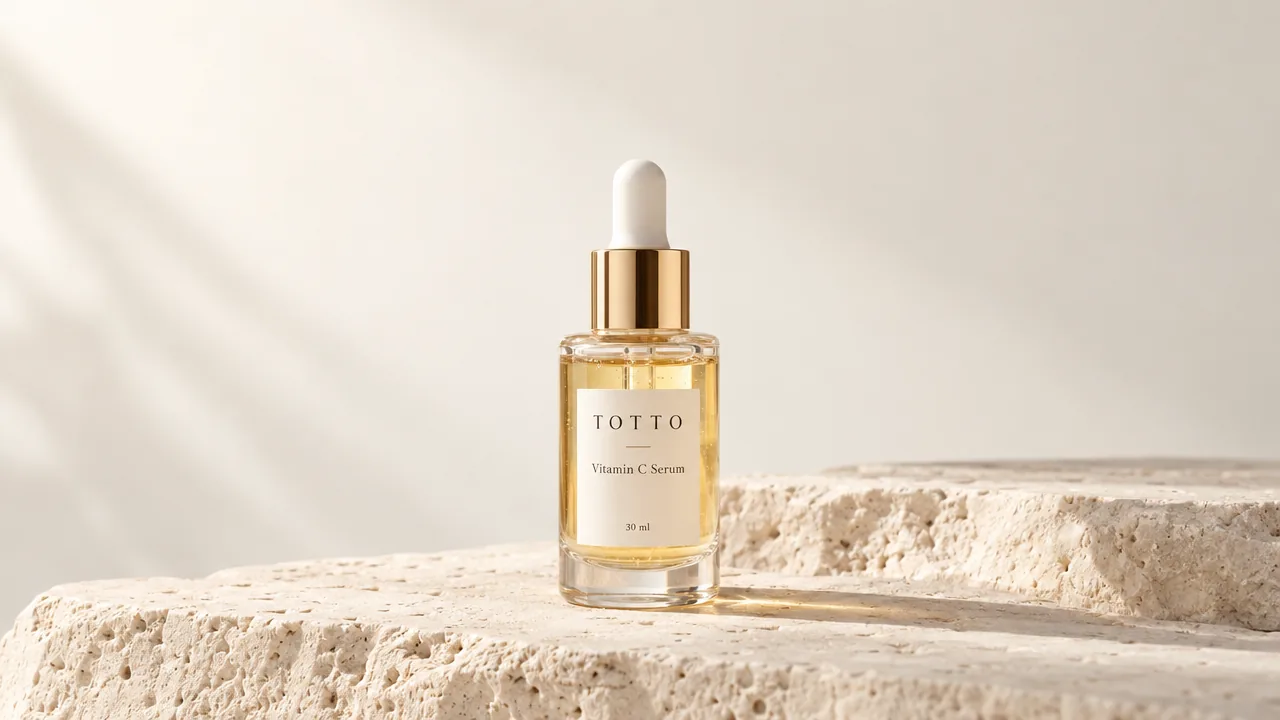
Notice that the prompt describes the purpose, composition and lighting, but it does not waste words describing every pixel.
How do you prompt text inside an image?
Images 2.5 can be useful for posters, social ads and other graphics where text is part of the image.
The safest approach is to provide the copy exactly as you want it written and separate the text from the visual instructions.
For example:
Create a vertical technology event poster with a clean editorial design.
Main headline: "THE FUTURE OF CREATIVE AI"
Secondary text: "New York", "18 September 2026", "Doors 18:30".
Use bold modern sans-serif typography with strong hierarchy and generous spacing. Place one studio-lit chrome object against a dark photographic background. Keep every word exactly as written and do not add any additional copy.
Even with improved text rendering, important names, dates, prices and legal copy should still be checked before publishing.
Can ChatGPT Images 2.5 keep characters consistent?
Images 2.5 is better at preserving people and other reference subjects, which makes it more useful for recurring characters and campaign variations.
The prompt should tell the model which aspects of the reference define the identity.
For example:
Use the uploaded image as the identity reference for the character. Create a new photograph of the same person walking through a quiet train station. Preserve the same facial structure, hairstyle, age and overall appearance. Change the outfit to a charcoal coat and dark trousers. Use natural morning light and realistic documentary photography. Do not beautify or significantly alter the face.
Larger changes in angle, expression or visual style can still introduce drift, so consistency should be treated as improved rather than perfect.
Is ChatGPT Images 2.5 useful for product ads?
Yes, and this is one of the more practical use cases for the model.
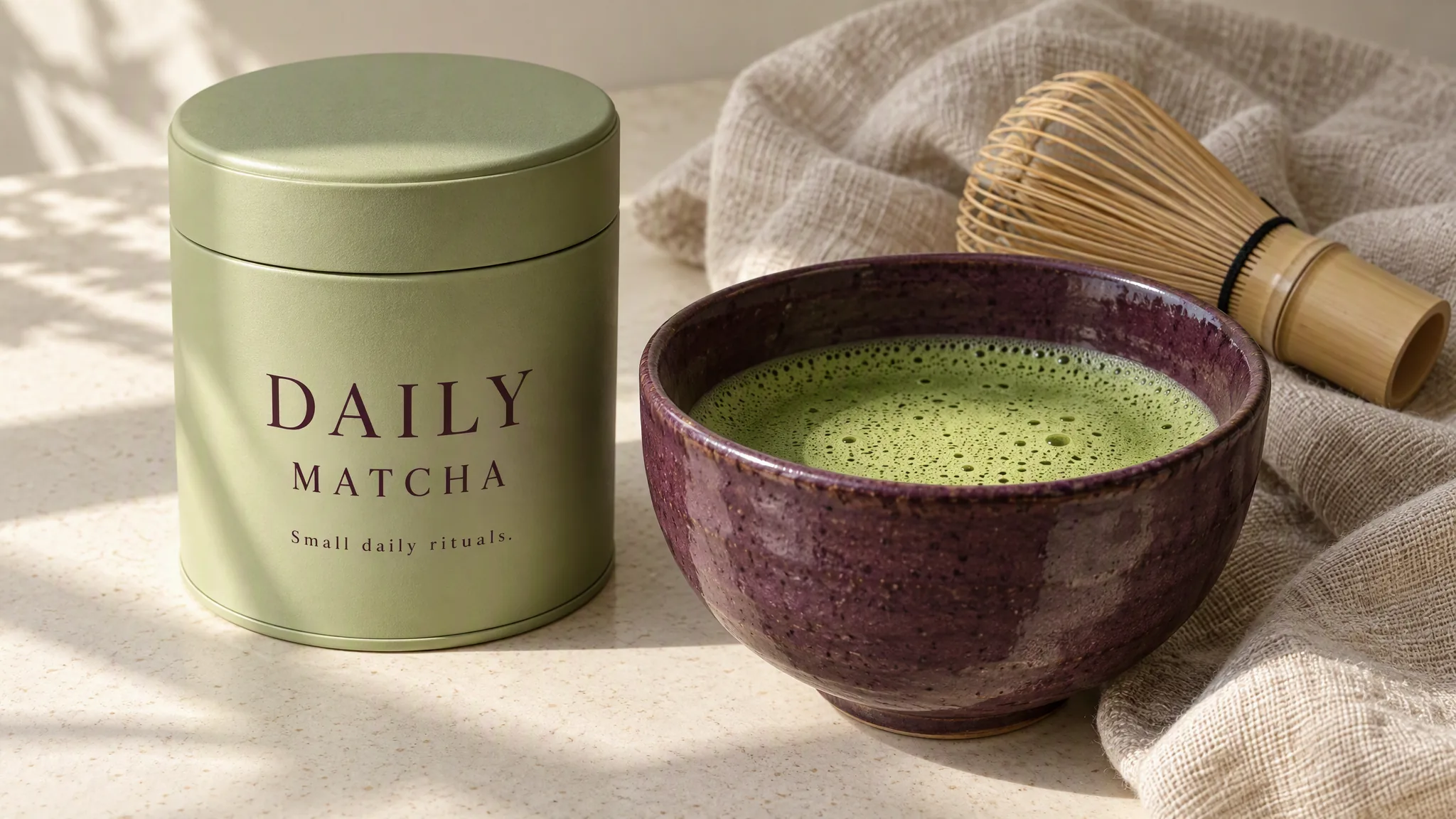
A product image often needs several versions while keeping the packaging recognizable. You may need the same bottle in a bathroom, on a studio background, in a lifestyle scene and in a vertical social ad.
The important instruction is to preserve the product itself.
For an edit, you could write:
Replace only the background with a warm modern bathroom made from pale stone and brushed metal. Keep the product exactly unchanged, including the bottle shape, cap, logo, label text, proportions and camera angle. Match the new environment lighting naturally to the existing product.
This type of controlled variation is more useful commercially than simply creating a completely new product interpretation every time.
Can you use ChatGPT Images 2.5 to create source images for AI video?
Yes. If an image will later become the first frame or visual reference for an AI video model, prompt for a composition that leaves room for movement.
For example:
Create a cinematic 16:9 still designed to be animated later. A woman stands beside a quiet coastal road at blue hour looking toward the ocean, with a vintage dark sedan several meters behind her. Use a wide composition with clear foreground, middle ground and background separation. Camera at waist height with a natural 35mm lens feel. Leave enough space around the subject for later camera movement and avoid cropped limbs, motion blur or distorted hands.
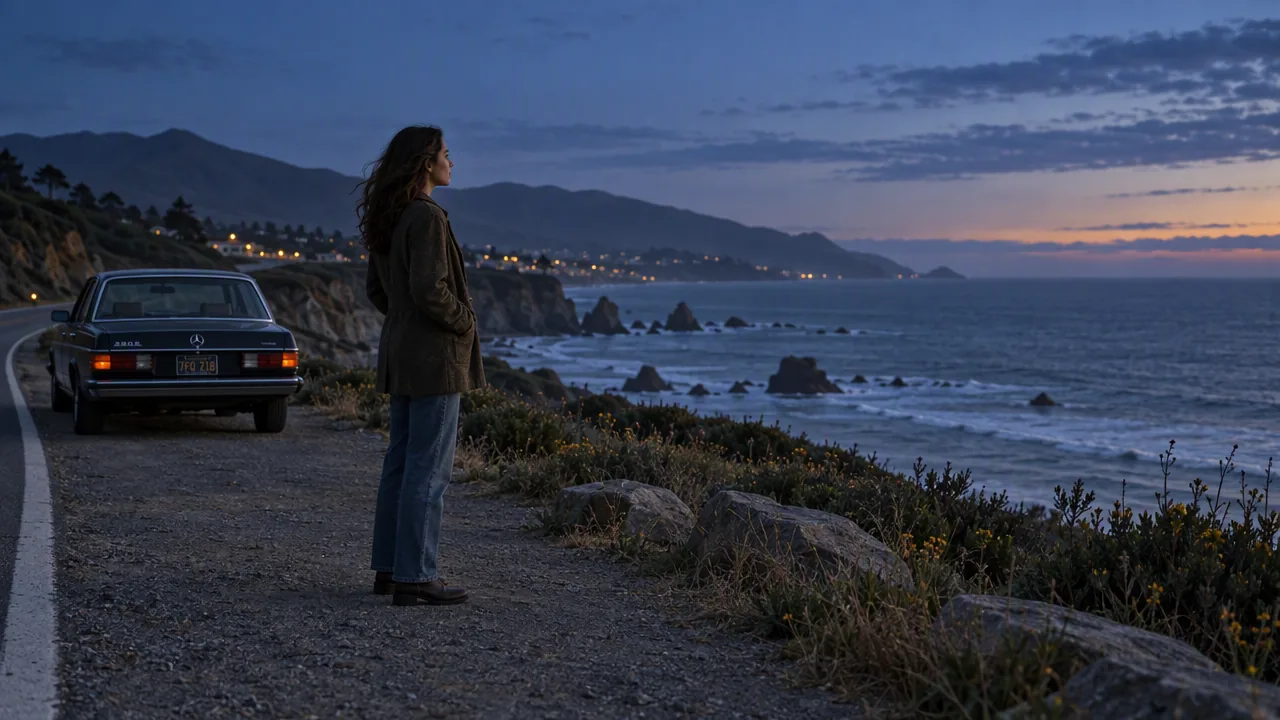
The goal is slightly different from producing a finished standalone image. You want a strong frame, but you also want visual space that a video model can use.
What are the limitations?
ChatGPT Images 2.5 improves control, but generative image editing is still not completely deterministic.
Large edits can still change details that were supposed to stay fixed. Faces and products can drift when the requested transformation is extreme. Complicated typography and dense layouts can still contain errors.
That means commercial images still need a final review, especially when they contain logos, packaging, product proportions, faces, small text, prices or dates.
The improvement is that you should need fewer corrective iterations, not that checking becomes unnecessary.
Is ChatGPT Images 2.5 better than GPT Image 2?
Images 2.5 is designed to improve the areas that matter most during iteration: speed, reference preservation and editing consistency.
For simple one-off images, GPT Image 2 can still be perfectly capable. The difference becomes more valuable when you are editing existing images, maintaining a product or character across several assets, or making multiple revisions to the same creative.
We will compare the two versions directly in a separate GPT Image 2.5 vs GPT Image 2 guide.
Common Questions
What is ChatGPT Images 2.5?
ChatGPT Images 2.5 is OpenAI's latest image generation and editing system, focused on faster creation, stronger reference preservation and more controlled editing.
What is new in ChatGPT Images 2.5?
The main improvements are faster generation, better subject preservation, more consistent editing and new tools such as Sketch, Templates and image comments.
How should I prompt ChatGPT Images 2.5?
Describe the subject, composition and visual direction clearly. For edits, specify the exact change and list the important details that must remain unchanged.
Is ChatGPT Images 2.5 good for image editing?
Yes. Editing is one of its biggest improvements, especially when you need to change one part of an image while preserving the subject and surrounding details.
What is GPT Image 2.5 Flare?
Flare is the faster general-purpose GPT Image 2.5 option for everyday generation, marketing assets, concepts and high-volume creative work.
What is GPT Image 2.5 Sunburst?
Sunburst is designed for more precise creative and editing tasks where preserving details matters more than generation speed.
Can ChatGPT Images 2.5 create text in images?
Yes. It can create posters, ads and other text-based graphics, but important spelling, dates, prices and legal text should still be checked manually.
Is ChatGPT Images 2.5 better than GPT Image 2?
Images 2.5 is designed to be faster and more consistent when preserving references and editing existing images. The difference matters most in iterative creative workflows.